
Why Install PDFJar as an App?
Installing PDFJar as a Progressive Web App (PWA) gives you a seamless, app-like experience with all the convenience you need.
- Works Offline: Access your tools even without internet connection
- Faster Access: Launch instantly from your home screen or desktop
- App-Like Experience: Standalone window, no browser tabs needed
- Always Updated: Automatic updates keep you on the latest version
Install on Desktop
Installing PDFJar on your computer is simple and takes just a few clicks. Choose your browser below:
Google Chrome
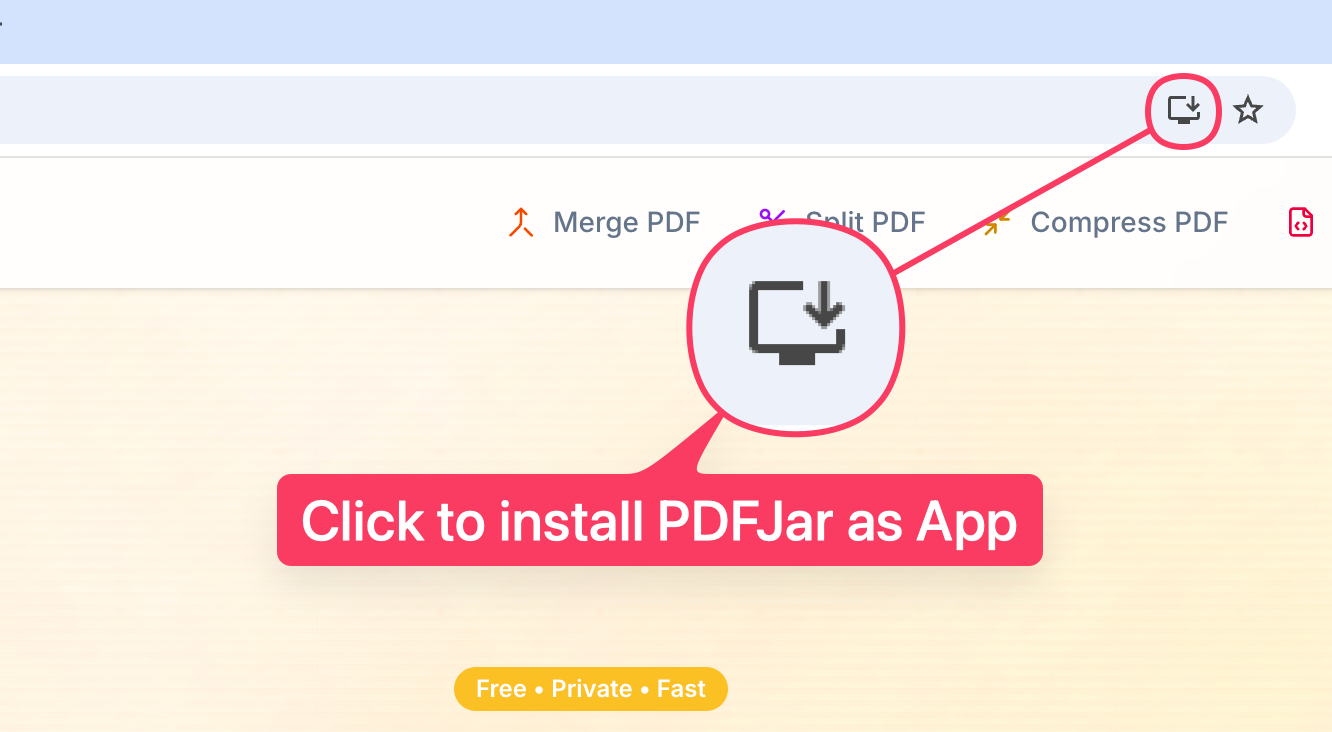
- Open PDFJar in Chrome
- Look for the install icon ⬇ in the address bar (top right)
- Click the install icon or the "Install" button that appears
- Confirm installation in the popup dialog
- PDFJar will open as a standalone app window
Microsoft Edge
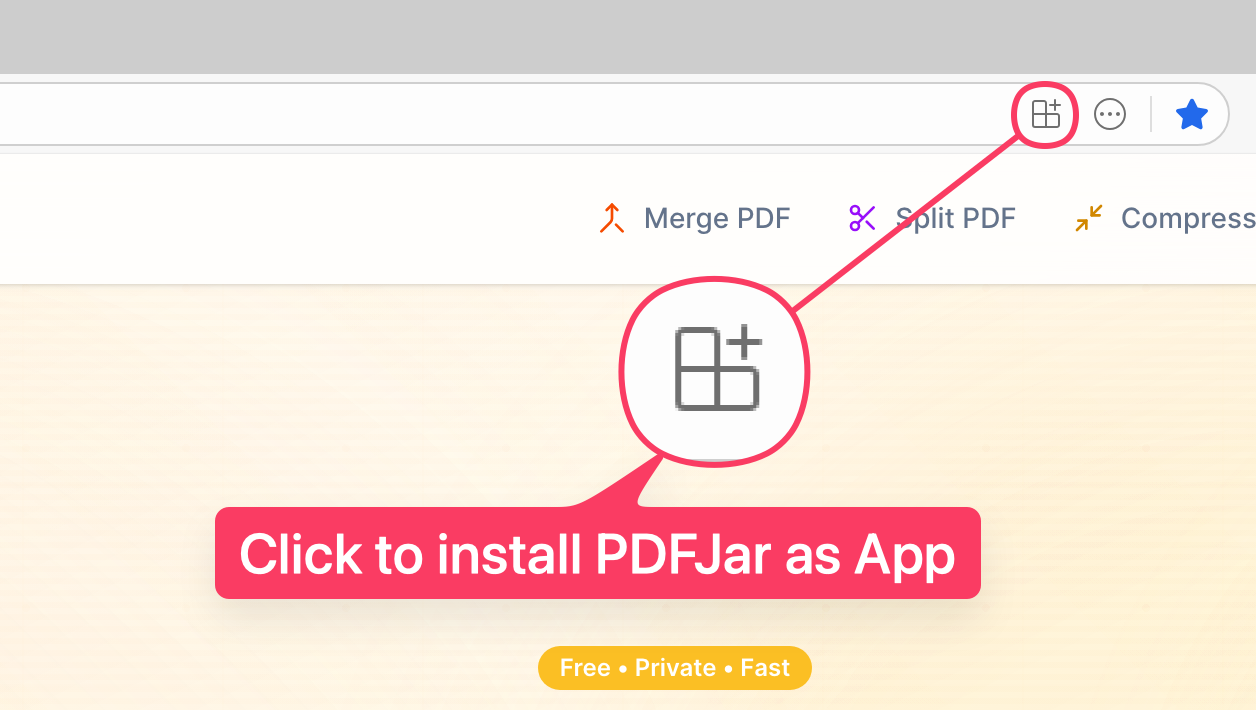
- Open PDFJar in Microsoft Edge
- Look for the install icon in the address bar
- Click the install icon or select "Install" from the menu
- Confirm installation in the dialog
- PDFJar will launch as a dedicated app
Safari (macOS)
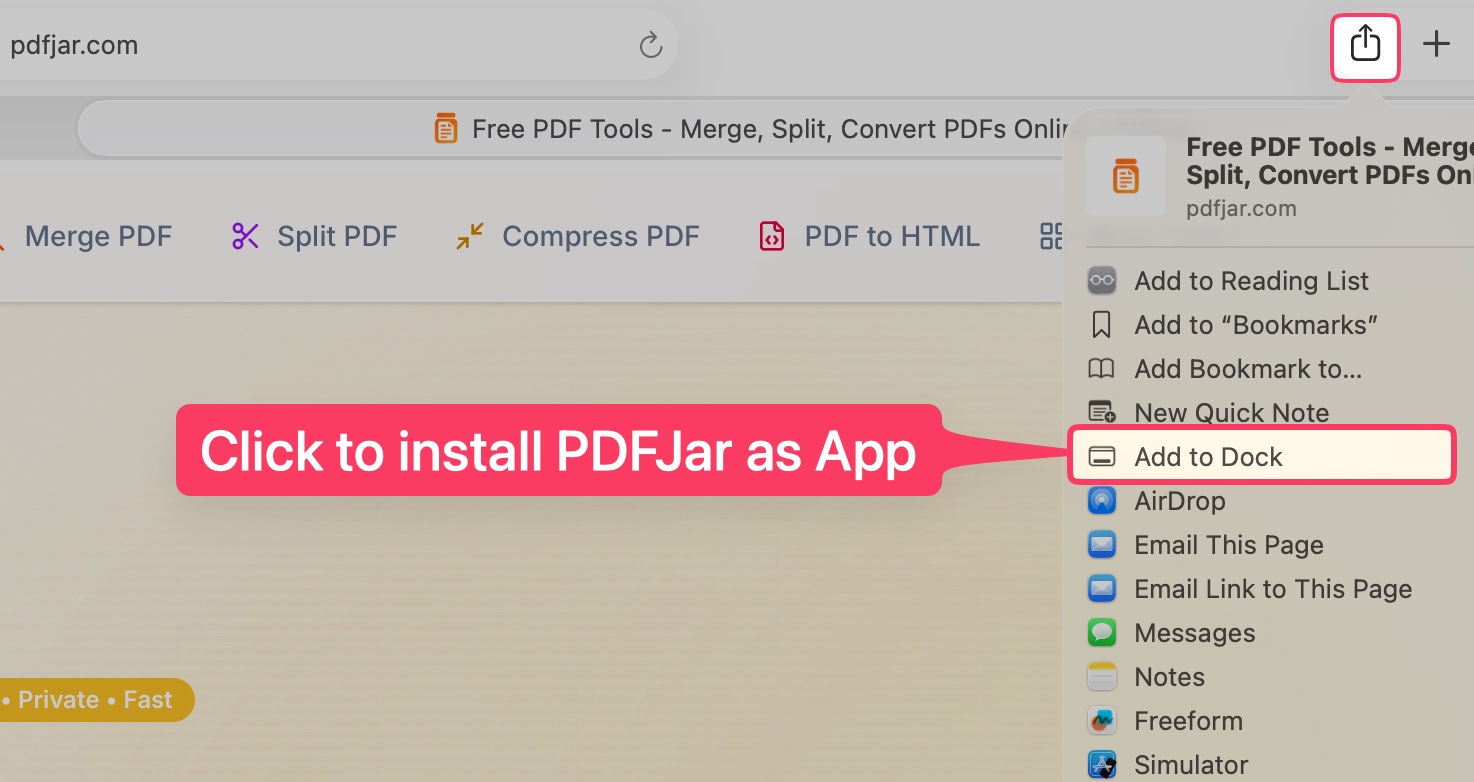
- Open PDFJar in Safari
- Click in the menu bar
- Select "Add to Dock" from the dropdown menu
- PDFJar will appear in your Dock as an app
- Click the Dock icon to launch PDFJar anytime
Install on Mobile
Installing PDFJar on your phone or tablet is even simpler. Just follow these quick steps:
iOS (iPhone/iPad)
- Open PDFJar in Safari (not Chrome)
- Tap the Share button ↗ at the bottom
- Scroll down and tap "Add to Home Screen"
- Customize the name if desired, then tap "Add"
- PDFJar will appear on your home screen
Android
- Open PDFJar in Chrome or any browser
- Tap the menu ⋮ (three dots) in the top right
- Select "Add to Home screen" or "Install app"
- Tap "Install" or "Add" in the popup
- PDFJar will be added to your home screen
Works Offline
Once installed, PDFJar works offline! All PDF processing happens in your browser, so you can merge, split, compress, and convert PDFs even without an internet connection.
The app automatically syncs when you're back online, ensuring you always have the latest features and improvements.
Your Privacy Stays Protected
Installing PDFJar as an app doesn't change our privacy commitment. All processing still happens in your browser—your files never leave your device, whether you're online or offline. Learn more about our privacy practices in our Privacy Policy.
Ready to get started? Go to PDFJar and look for the install prompt in your browser.